A first look at the next KidsCoin. Try the family example

Raising capable, caring kids

Little habits.
Lifelong foundations.

Start with getting dressed, packing a bag, or putting toys away. Your child can mark it done or ask for help. You can record it together, notice the effort, and keep the grown-ups on the same page.

Free family tools for ages 3–12. A grown-up creates the account.

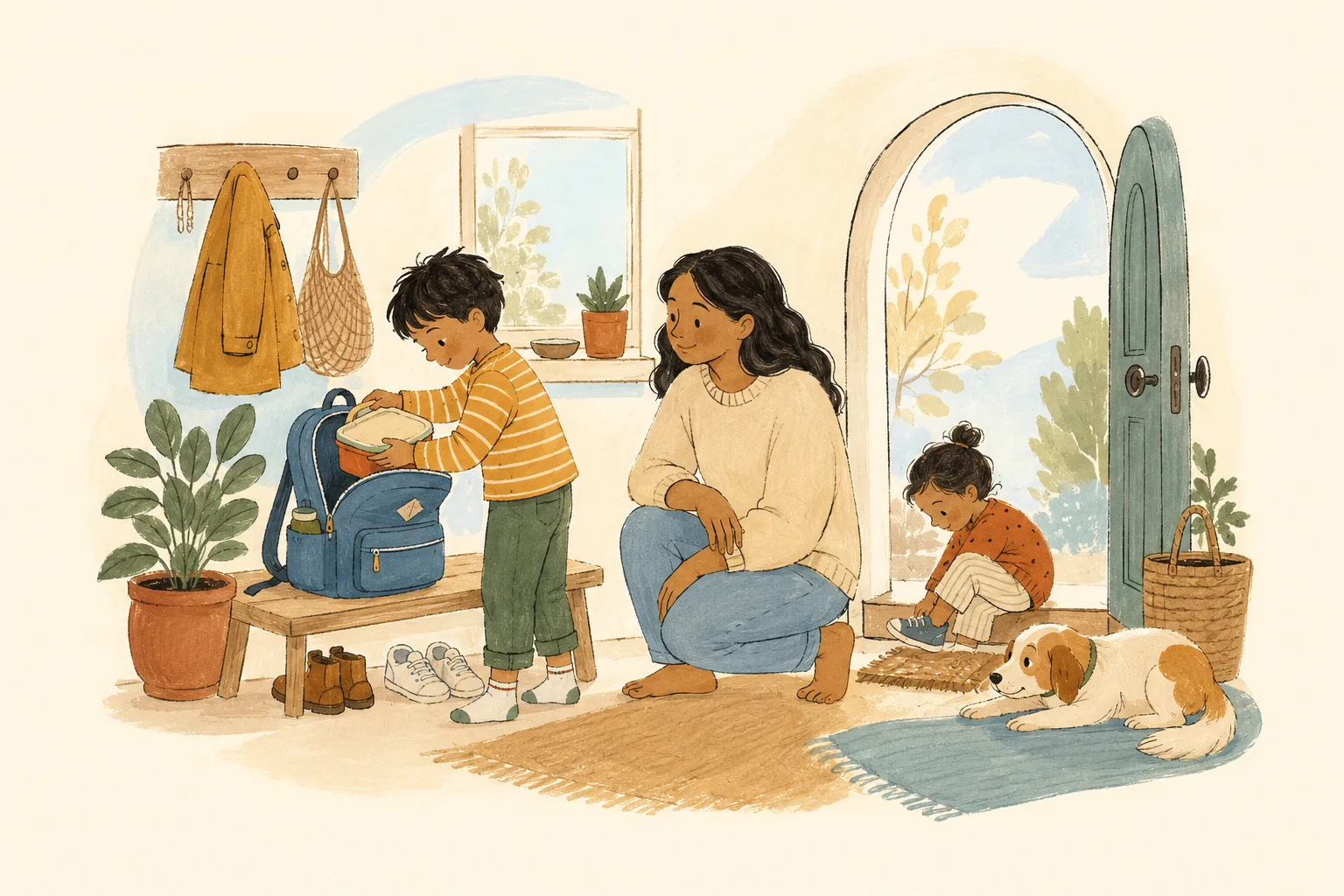
A child packs a lunchbox into a backpack while a grown-up watches nearby. A younger child puts on a shoe.
“I packed it myself.”Small moment. Big feeling.
More doing. More noticing. More together.
Room to grow Encouragement over perfection Grown-ups on the same page

Meet the KidsCoin app

Getting ready.
One clear next step.

Start with a routine your family already knows. Decide what “done” looks like and how you’ll help. Then make room to practice.

01 Do a small step
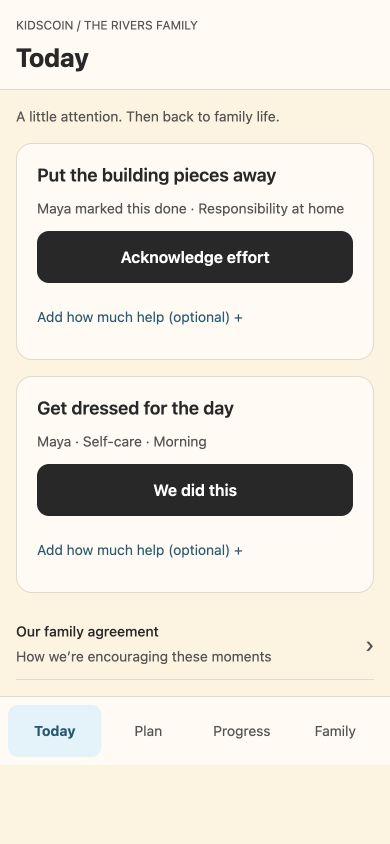
Your child can mark it done or ask for help in Kid Mode. Together on your phone? Tap “We did this” yourself.
02 Notice what happened
Acknowledge the effort and try a few specific words: “You put the pieces away. Our space is ready for the next person.” The grown-ups share the update.
03 Choose what comes next
Look back at the week. Keep the routine, make it easier, or add something new. Review the next seven days before you save.
Start in your browser

No download needed. See app options.

Interactive preview · Fictional family
Open the full app preview

The bigger picture of growing up

So much more
than a tidy room.

Eight connected areas of everyday life.
Room to practice each, at your child’s pace.

SELF-CARE / EVERYDAY PRACTICE

“I can look
after myself.”

Getting dressed, keeping clean, and knowing when to ask for help. Familiar routines give children ways to take part in caring for themselves.

What practice could look like
  • Choose clothes together for the day.
  • Take part in the toothbrushing routine.
  • Get ready with the support that fits.

The direction: more participation and independence, with help whenever it’s needed.

Example activities to adapt with your child. These areas guide practice; they aren’t scores or a daily checklist.

A broad view for parents. A manageable next step for kids.

A family rhythm with purpose

A little each day.
A bigger picture over time.

Begin with a routine that fits.
Build a mix of life skills as you go.

01

Choose one
familiar routine.

Begin with getting ready, tidying after play, or taking turns. Choose a manageable activity and agree on what counts as done.

02

Try it.
Help when needed.

Record the activity together, or let your child check in through Kid Mode. Acknowledge what they did with a few specific words.

03

Review the week.
Choose the next one.

Keep a useful routine, simplify it, or add an activity. You review and save the next seven days. Optional Growth adds suggestions and reports.

See the purpose behind the practice

A step they can take.
A skill they can build.

Try the child’s view, then see the family picture.
Fictional examples. No account needed.

SELF-CARE + INDEPENDENCE

Getting ready.
Growing in independence.

Getting dressed belongs to a bigger pattern: taking part in looking after yourself. The child sees a clear action; the grown-ups can keep the wider purpose in mind.

  1. 1Practice with a purpose
  2. 2Space to try, or ask for help
  3. 3Encouragement that means something
  4. 4The grown-ups, in the loop
  5. 5Review the week and choose the next

Interactive product preview. Fictional family and activity; nothing here is saved or sent.

A child’s next stepTODAY

Practicing self-care

Get dressed
for the day.

Use the clothes you picked with your grown-up. Ask for a hand if you need one.

OUR FAMILY AGREEMENT

Here’s what
we’re practicing.

This week
Getting ready for our day.
What “done” looks like
Lunchbox in the bag.
Bag by the door.
How we’ll encourage it
Notice the effort.
Help when it’s needed.
EXAMPLE FAMILY

You’re a team

Shared values.
Everyday follow-through.

“Pack your bag” can mean different things to different grown-ups. Agree on the lunchbox, the bag by the door, and when to lend a hand.

Your family agreement keeps what you’re practicing, what “done” means, and how you’ll encourage it together.

Start your family account

Growth is a longer story

See beyond
the checked box.

Getting dressed. Putting things back. Taking a turn. Look across the week to see which activities are becoming familiar and where your child still wants a hand.

With optional Growth, recorded activity informs suggested plans and reports. You review the observations and adjust what comes next—keeping useful routines and making room for new experiences.

OUR FAMILY’S WEEKFICTIONAL EXAMPLE

A few recorded moments · September 1–7

Different moments.
A connected picture.

Looking after myself
Got dressed on 3 recorded mornings. Help noted on 2.
Contributing at home
Put building pieces away after 2 play sessions.
Being thoughtful with others
Practiced taking turns in a family game.
Why we noticed this

These are invented observations showing the kinds of activity a family might record. They do not demonstrate changes in character, cover every part of a child’s life, or describe real customer results.

What this family might try next: keep getting dressed familiar, and make time for another shared game.

You’re still the grown-up

A helpful tool.
Your family’s way.

You choose the activities, the expectations,
and what encouragement looks like.

Connection comes first.

Recognize effort, participation, and care for others. Use coins when they fit, or practice a family contribution without them. Shared time can be a reward too.

A quick check-in. Then life.

Kid Mode can run on a grown-up’s device, with a PIN for the adult area. Finish a small step, then get back to the real world.

Understand what’s recorded.

Growth uses recorded activity to help you reflect. Parents can review data and correct observations. It doesn’t diagnose or score a child’s worth.

Explore privacy & control

Keep it simple

A foundation today.
Support as they grow.

Build routines across everyday life.
Choose how much planning support you want.

THE EVERYDAY FOUNDATION

KidsCoin Free

Make a plan your family can make its own.

  • Create family tasks and schedules
  • Choose contributions, coins, and rewards
  • Check in with Kid Mode
  • Keep earned coins and existing routines
Start your family account

PLANNING WITH THE BIGGER PICTURE

KidsCoin Growth

Support practice across the eight areas, with plans informed by age, your settings, and recorded activity.

  • Plans that consider age, interests, and support
  • Familiar practice alongside new opportunities
  • Reports grounded in recorded activity
  • Growth preferences and parent controls
Explore Growth in your account

Optional subscription. Your available offer, price, and terms are shown in the app before you choose.

A few things you might wonder

Real-life
questions.

Something else on your mind?
Talk to us

Is this just about paying for chores?

Household tasks are one part of the picture. KidsCoin supports practice in self-care, responsibility, organization, curiosity, creativity, wellbeing, cooperation, and thoughtful money choices. Coins are optional family points with no cash value; contributions can be recognized without them.

Do we need to work on all eight areas every day?

No. These areas help you see the bigger picture, not create a longer daily checklist. Start with a useful routine, keep familiar activities that fit, and make room for other skills over time. Your child’s needs, interests, and available support guide the pace.

Does my child need their own phone?

No. A grown-up can hand over their device for a short Kid Mode check-in. A grown-up PIN protects the adult area. Your child can see the next activity, finish it, or ask for help.

How much do I need to set up?

Start with your child and one small routine. You choose the activity, what counts as done, and how to check it. Optional Growth adds planning support, with preferences and consent you review before it begins.

Can another parent or caregiver join?

Invited adults can coordinate family tasks and rewards. The app shows available caregiver access for your family’s plan before you send an invitation.

What if we miss a day?

Busy days happen. Previously earned coins and cumulative progress stay yours. You can adjust the next plan to fit your family; every day doesn’t need to look the same.

What ages is it designed for?

KidsCoin supports children ages 3–12. The right amount of adult help varies by child and activity. Start small, and choose tasks that are suitable for your child’s abilities and your home.

Does it assess or diagnose my child?

No. Growth summarizes recorded activities and can suggest what to try next. It cannot tell you everything about your child, diagnose a condition, or replace your judgment. You can review and correct observations.

What will I pay?

The core family tools have a Free plan. Growth is optional. Exact offers, prices, billing periods, and renewal terms are shown in the app before you choose. We don’t show an estimated price here because available offers can vary.

A family growing together

Big things begin
with little everyday wins.

Choose your first routine. Try it together. Take the next step from there.

Start in your browser